
鸿蒙系统上的 Flutter 性能调优
1 分•作者: flfljh•大约 1 年前
针对 HarmonyOS 适配的 Flutter 应用,可以使用 DevTools 调试 Dart 代码。<p>*先决条件*<p>- OpenHarmony Next 系统
- Flutter 界面在前台运行
- 分析工具:
DevEco Studio Profiler
SmartPerf<p>*Flutter 线程架构*
Flutter 使用多个线程来执行关键操作。所有 Dart 代码都在 UI 线程上执行,这会影响其他线程:<p>- *平台线程*
插件代码运行的主平台线程
- *UI 线程*
在 Dart VM 中执行 Dart 代码。处理:
- 开发者编写的代码
- 框架生成的代码
- 创建轻量级的图层树(与设备无关的渲染命令)
- 将图层树发送到 GPU 线程
*关键:* 永远不要阻塞此线程!出现在性能覆盖的底部栏中。
- *栅格化线程(GPU 线程)*
处理图层树并发送到 GPU。虽然你不能直接交互:
- 速度慢表明 Dart 代码存在问题
- 托管 Skia 图形库
- 出现在性能覆盖的顶部栏中
- *I/O 线程*
处理繁重的 I/O 操作,以防止阻塞 UI/栅格化线程。不显示在性能覆盖中。
- *RenderService 线程*
RS 进程主线程。在 Flutter 渲染完帧后:
- 纹理模式:与主线程合成(受主线程影响)
- 表面模式:直接显示(不受主线程影响)<p>*问题边界定义*
在 DevEco Studio 中:<p>1. 打开 Profiler 标签页
2. 捕获应用程序跟踪
3. 重点关注 `<x>.ui`、`<x>.raster` 和 RenderService 主线程<p>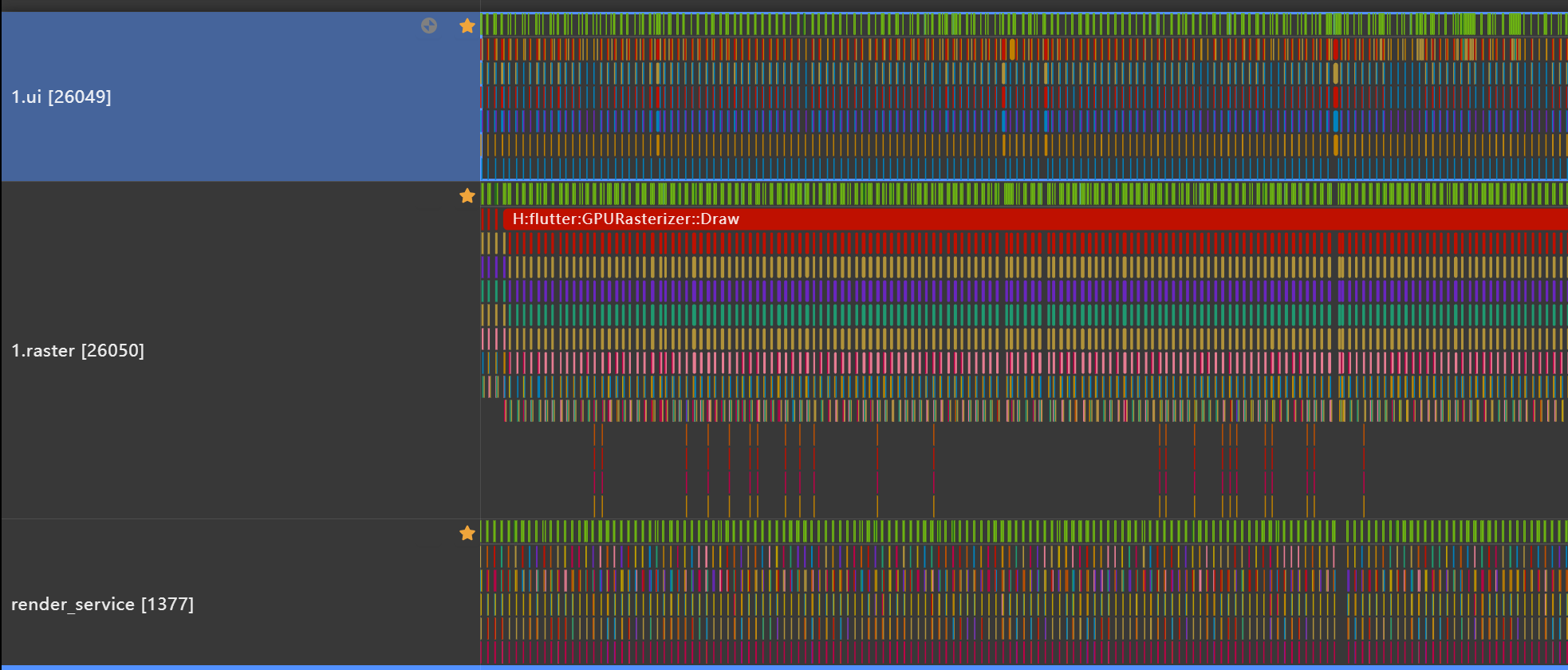<p>上图中 RenderService 中缺失的帧是由于 UI 线程每帧花费的时间过长,超过了一帧(在 120 帧的帧率下,一帧是 8.33 毫秒)。<p>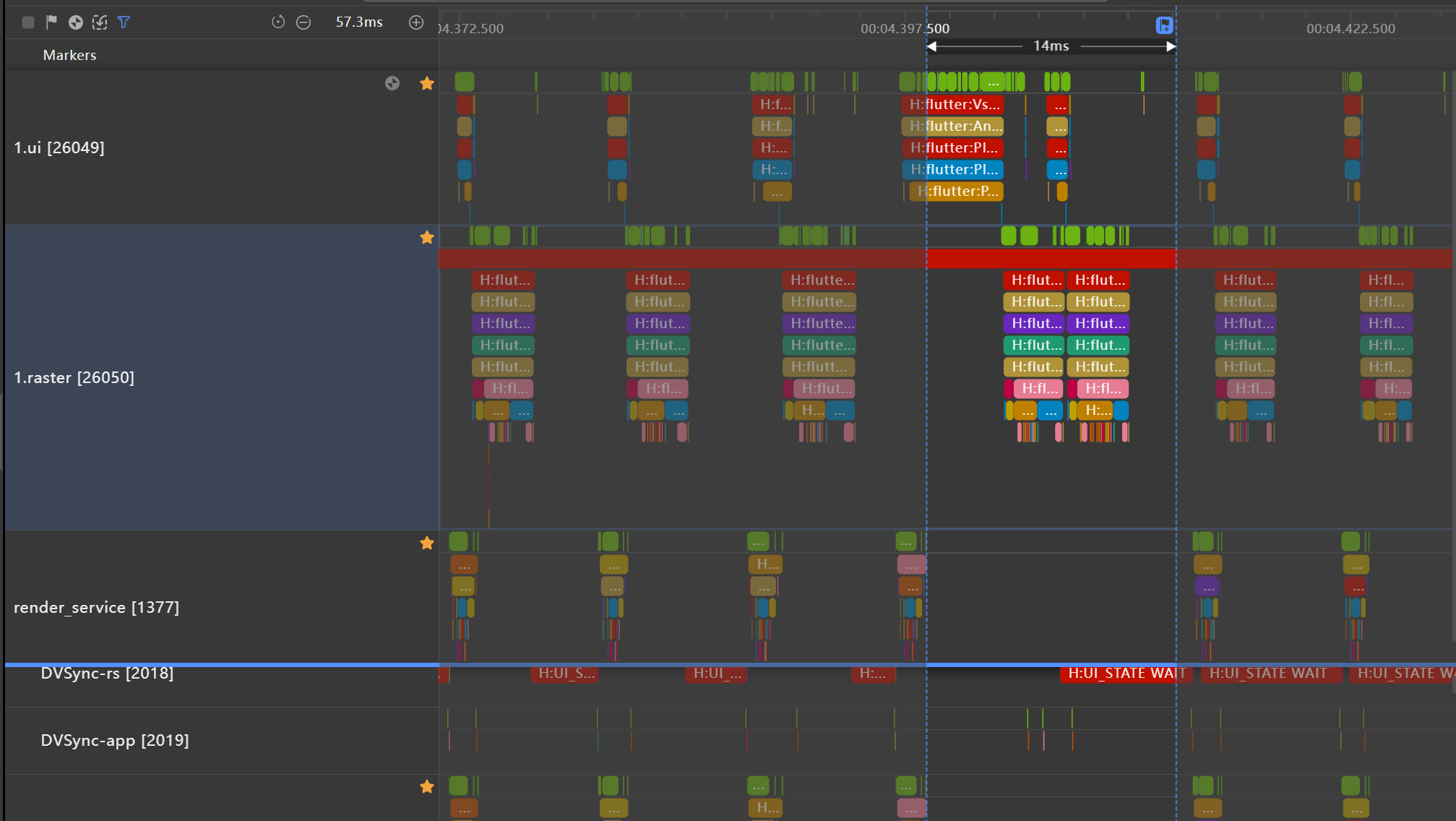<p>如果一帧渲染过程中 <x>. ui 和 <x>. master 的总持续时间超过一帧时间,则可以将性能问题定义为 Flutter 问题。问题的定位需要进一步的性能分析。
查看原文
Flutter applications adapted for HarmonyOS can be debugged using DevTools for Dart code.<p>*Prerequisites*<p>- OpenHarmony Next system
- Flutter interface running in foreground
- Analysis tools:
DevEco Studio Profiler
SmartPerf<p>*Flutter Thread Architecture*
Flutter utilizes multiple threads for essential operations. All Dart code executes on the UI thread, which impacts other threads:<p>- *Platform Thread*
Main platform thread where plugin code runs
- *UI Thread*
Executes Dart code in Dart VM. Handles:
- Developer-written code
- Framework-generated code
- Creates lightweight layer trees (device-agnostic rendering commands)
- Sends layer trees to GPU thread
*Critical:* Never block this thread! Appears in performance overlay's bottom bar.
- *Raster Thread (GPU Thread)*
Processes layer trees and sends to GPU. While you can't directly interact:
- Slowness indicates Dart code issues
- Hosts Skia graphics library
- Appears in performance overlay's top bar
- *I/O Thread*
Handles heavy I/O operations to prevent blocking UI/raster threads. Not shown in performance overlay.
- *RenderService Thread*
RS process main thread. After Flutter renders frames:
- Texture mode: Composites with main thread (affected by main thread)
- Surface mode: Direct display (unaffected by main thread)<p>*Problem Boundary Definition*
In DevEco Studio:<p>1. Open Profiler tab
2. Capture application trace
3. Focus on `<x>.ui`, `<x>.raster`, and RenderService main threads<p><p>The missing frames in the RenderService in the above image are due to the UI thread taking a longer time per frame, exceeding one frame (at a frame rate of 120, one frame is 8.33 milliseconds).<p><p>If the total duration of<x>. ui and<x>. master in a frame rendering process exceeds one frame time, the performance issue can be defined as Flutter problem. The positioning of the problem requires further performance analysis.